
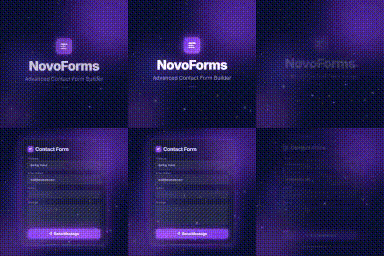
Сүрөттөө
NovoForms is a drag & drop contact form builder for WordPress. It lets you create forms without writing code. All submissions are stored in the WordPress admin panel.
All features are fully available to all users with no restrictions.
Features
Drag & Drop Form Builder
Add, reorder, and configure fields visually in the admin panel.
Pre-Built Templates
Six ready-to-use templates: Contact Form, Support Request, Business Inquiry, Newsletter Signup, Feedback Form, and Blank Form.
AJAX Submission
Forms submit without page reloads. Users see an animated success confirmation immediately.
Spam Protection
An invisible honeypot field catches bots silently without requiring CAPTCHAs.
Entry Storage
All submissions are saved to the database and viewable under NovoForms Entries.
Shortcode Support
Embed any form with [novaform id="1"].
Gutenberg Block
A native block for the WordPress block editor.
Responsive Design
Forms display correctly on all screen sizes.
Field Types
All field types are fully functional:
- Text
- Paragraph (Textarea)
- Dropdown
- Radio Buttons
- Checkboxes
- Number
- Phone
- Website URL
- Date
Technical Details
- Object-oriented PHP architecture
- Files organised under
/includes,/admin,/public - Nonce verification and data sanitization throughout
- Scripts load only on pages that contain a form
- Translation-ready with
.potfile included - Compatible with WPML and Loco Translate
Блоктор
This plugin provides 1 block.
- NovoForms
Орнотуу
Automatic Installation
- Go to Plugins Add New in your WordPress admin.
- Search for NovoForms.
- Click Install Now, then Activate.
Manual Installation
- Download the plugin
.zipfile. - Go to Plugins Add New Upload Plugin.
- Upload the file and click Install Now, then Activate.
After Activation
- Go to NovoForms Add New.
- Choose a template or start from scratch.
- Add and configure fields using the builder.
- Click Save Form.
- Copy the shortcode (e.g.
[novaform id="1"]) and paste it into any page or post.
FAQ.KG
-
Is this plugin free?
-
Yes. All features are free and fully functional with no restrictions.
-
How do I embed a form?
-
After saving a form, copy its shortcode from the All Forms list and paste it into any page, post, or widget. You can also use the NovoForms Gutenberg block.
-
Where do I see submitted entries?
-
Go to NovoForms Entries and select a form from the dropdown.
-
Does the plugin send emails?
-
No. This plugin stores form submissions in the WordPress database. You can view all submissions under NovoForms Entries in your admin panel.
-
Does the plugin slow down my site?
-
Scripts and styles only load on pages that contain a NovoForms form.
-
Is the plugin translation-ready?
-
Yes. A
.potfile is included. The plugin is compatible with WPML and Loco Translate. -
What happens when the plugin is uninstalled?
-
All database tables and plugin options are removed on deletion.

Contributors & Developers
“NovoForms – Advanced Contact Form Builder” is open source software. The following people have contributed to this plugin.
Мүчөлөрү
Translate “NovoForms – Advanced Contact Form Builder” into your language.
Interested in development?
Browse the code, check out the SVN repository, or subscribe to the development log by RSS.
Өзгөртүүлөр
1.0.0
- Initial release.
- Drag & drop form builder with 10 field types.
- Six pre-built form templates.
- AJAX form submission with animated success screen.
- Honeypot spam protection.
- Entry storage with admin management.
- Shortcode
[novaform id="X"]. - Gutenberg block.
- Translation-ready with
.potfile.