

Сүрөттөө
AJO Membership is a lightweight, secure, and straightforward plugin designed to turn your WordPress site into a basic membership portal without the bloat of massive membership plugins.
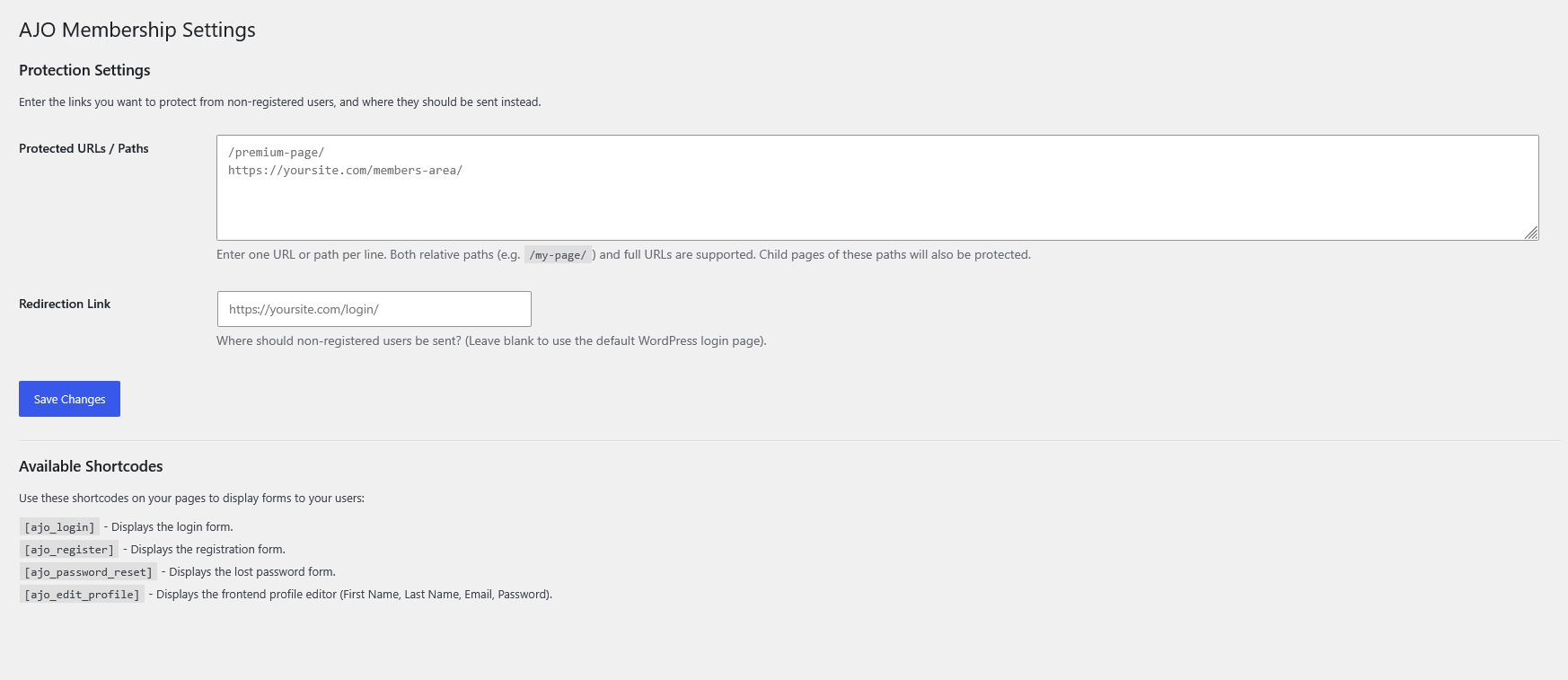
It allows you to restrict access to specific pages, posts, or entire URL paths directly from a simple settings dashboard. Non-registered users attempting to access protected content are automatically redirected to a custom link of your choosing.
The plugin also safely redirects non-administrative users away from the default WordPress dashboard (wp-admin), keeping your frontend pristine, and provides native WordPress-powered shortcodes to handle user authentication entirely on the frontend.
Features
- Content Protection: Protect any URL or path (e.g.,
/premium-content/). Sub-pages are automatically protected. - Custom Redirects: Send unauthorized visitors to a specific landing page or your login page.
- Dashboard Restriction: Automatically blocks non-administrators from accessing the WordPress backend dashboard, redirecting them to the homepage instead.
- Frontend Profile Editor: Allow users to update their Name, Email, and Password directly from a frontend page.
- Native Authentication: Uses WordPress’s core secure functions to handle logins, registrations, and password resets. No clunky third-party tables—just clean, native integration.
Included Shortcodes
Simply paste these shortcodes onto any page or post to display the respective forms:
[ajo_login]– Displays the standard login form. (Hides automatically if the user is already logged in).[ajo_register]– Displays a straightforward registration form.[ajo_password_reset]– Displays the lost password / reset request form.[ajo_edit_profile]– Displays a secure frontend profile editor for logged-in users to update their name, email, and password.
Скриншоттор
Орнотуу
- Upload the
ajo-membershipfolder to the/wp-content/plugins/directory, or install it via the WordPress Plugins dashboard by uploading the.zipfile. - Activate the plugin through the ‘Plugins’ menu in WordPress.
- Go to Settings > AJO Membership to configure your protected URLs and custom redirect link.
- Go to Settings > General and ensure “Anyone can register” is checked if you plan to use the registration shortcode.
- Create standard WordPress pages (e.g., “Login”, “Register”, “My Profile”) and paste the provided shortcodes into the page content.
FAQ.KG
-
Why is the registration form not working?
-
Because this plugin securely utilizes WordPress’s native registration system, you must enable registration in your main WordPress settings. Go to Settings > General and check the box next to Membership that says “Anyone can register”.
-
How do I protect a specific page?
-
Go to Settings > AJO Membership. In the “Protected URLs / Paths” box, type the path of the page you want to protect (e.g.,
/my-secret-page/). Enter one path per line. -
Does protecting a parent page protect its child pages?
-
Yes! If you protect
/members/, then any sub-page like/members/downloads/or/members/videos/will automatically be protected as well. -
Can regular users access my WordPress dashboard?
-
No. The plugin automatically detects if a user is an Administrator or not. If a subscriber or customer tries to access
/wp-admin/, they will be safely redirected back to your homepage.
Сын-пикирлер
There are no reviews for this plugin.
Contributors & Developers
“AJO Membership” is open source software. The following people have contributed to this plugin.
Мүчөлөрү
Translate “AJO Membership” into your language.
Interested in development?
Browse the code, check out the SVN repository, or subscribe to the development log by RSS.
Өзгөртүүлөр
1.0
- Initial release.
- Added content protection via URL path.
- Added shortcodes:
[ajo_login],[ajo_register],[ajo_password_reset]. - Added
[ajo_edit_profile]shortcode for secure frontend profile updating. - Added security feature to block non-admins from accessing the WordPress dashboard.
- Improved security nonces and user input sanitization.