
Сүрөттөө
JETPACK – THE BEST WORDPRESS PLUGIN
Jetpack is a WordPress plugin that helps you create better content, grow your subscribers, earn money from your website and keep it safe, fast, and secure. You can grow and keep track of your website traffic with Jetpack stats, and create better content with Jetpack AI. You can start a newsletter and grow your audience, turning fans into paying subscribers. Create beautiful content with Jetpack Creator and keep your site fast with Jetpack Boost.
HOW TO GET STARTED WITH JETPACK
Installation is free, quick, and easy. Set up Jetpack in minutes. Take advantage of more robust features like WordPress site security and design and growth tools by upgrading to a paid plan.
NEED EXPERT SUPPORT?
We have a global team of Happiness Engineers ready to provide incredible support. Ask your questions in the support forum or contact support.
WHY USE JETPACK ON YOUR SITE
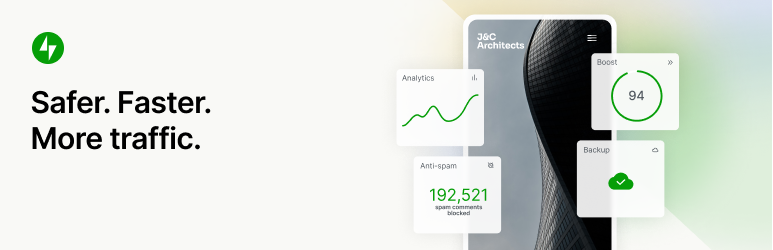
Safer. Faster. More traffic.
WordPress security, performance, marketing, and design tools — Jetpack is made by WordPress experts to make WP sites safer and faster, and help you grow your traffic.
24/7 AUTO SITE SECURITY
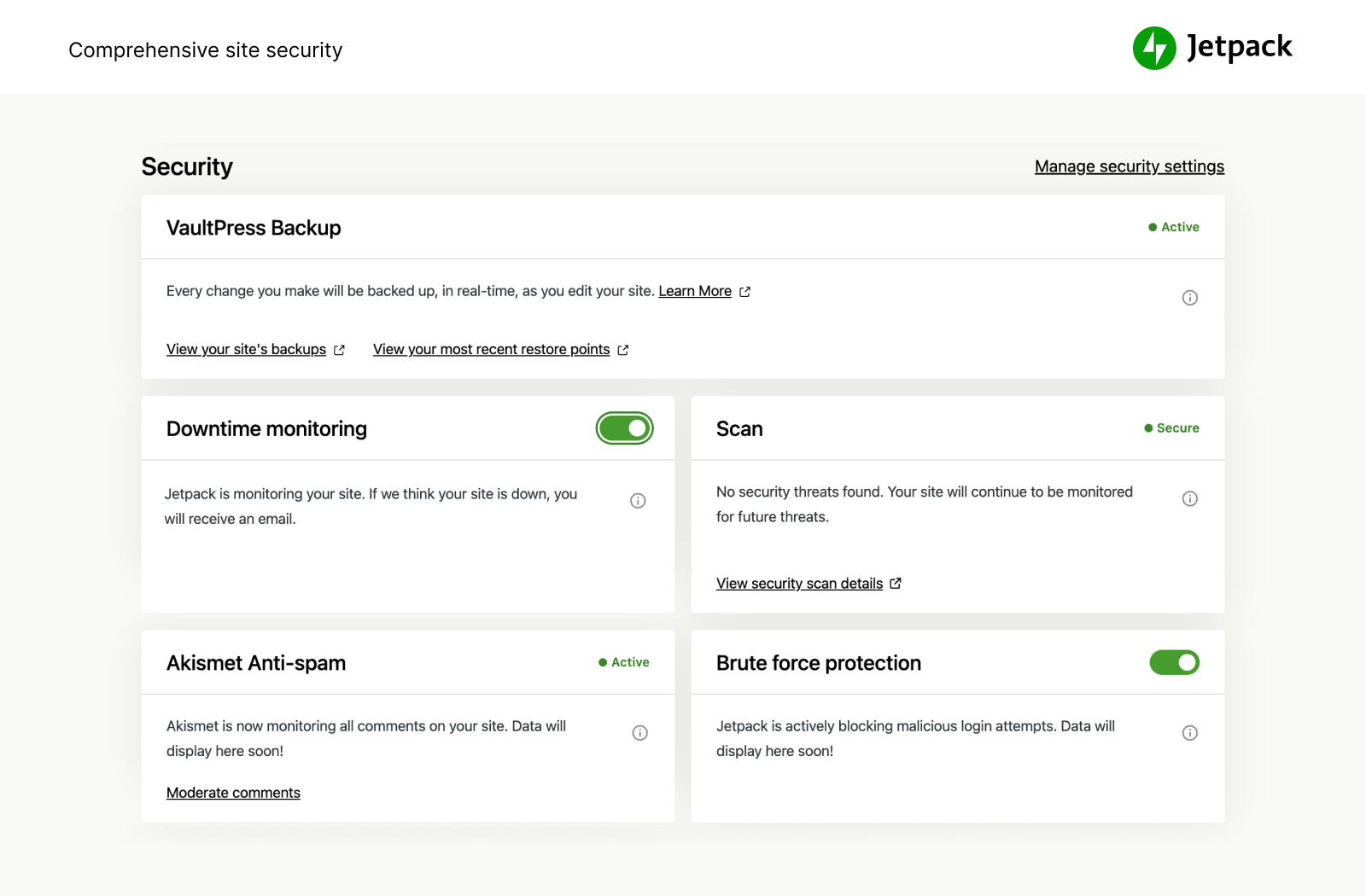
We guard your site so you can run your site or business. Jetpack Security provides easy-to-use, comprehensive WordPress site security including auto real-time backups and easy restores, malware scans, and spam protection. Essential features like brute force protection and basic downtime / uptime monitoring are free.
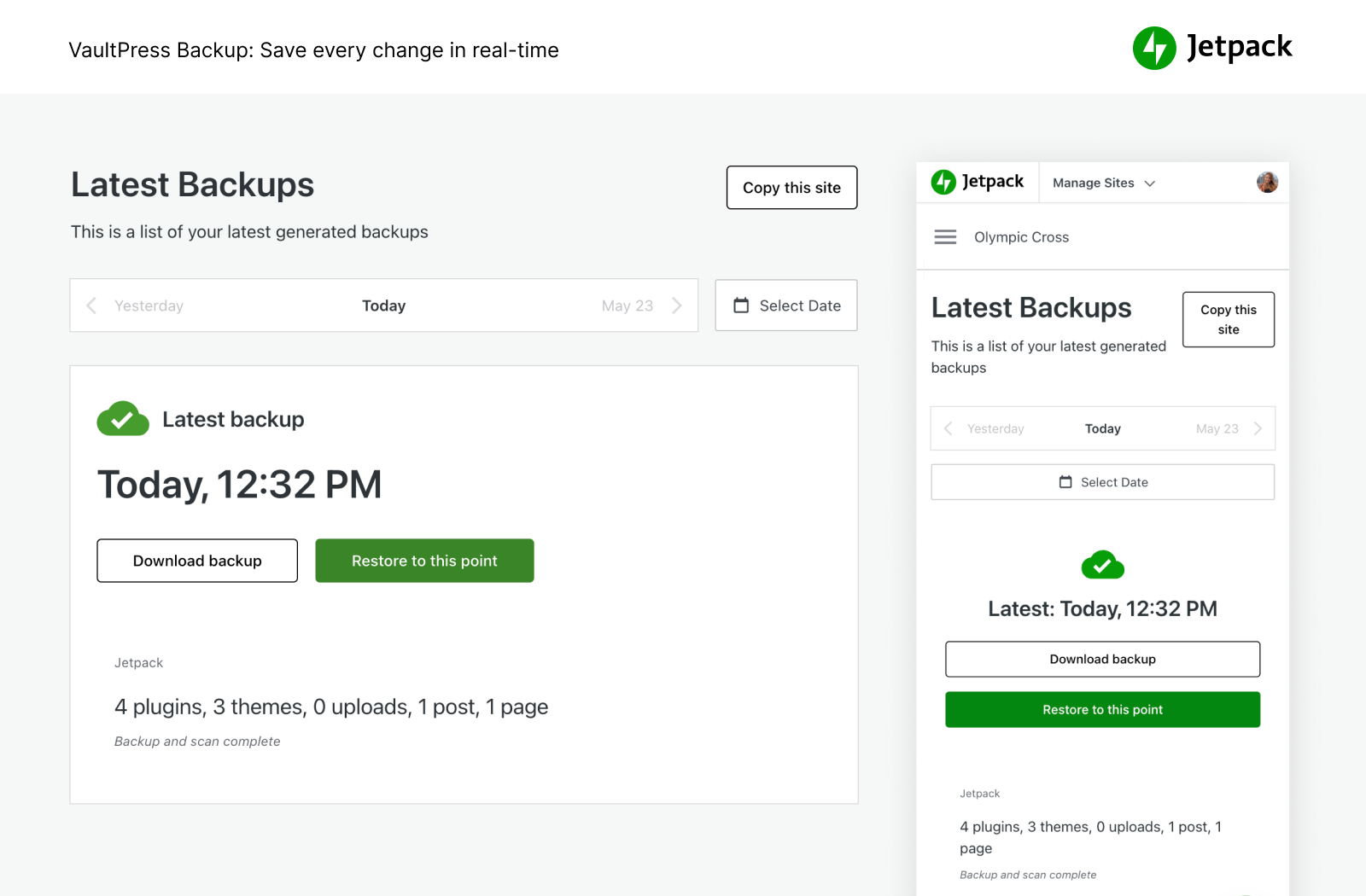
- Back up your site automatically in real time and restore to any point with one click. Cloud storage starts at 10GB, which is more than enough for most sites, with additional storage options available if needed. Great for eCommerce stores especially Woo.
- Manage migration to a new host, migrate theme files and plugins to a new database, easily duplicate websites, create full database backups, clone websites, repair broken websites by restoring older backups or easily set up a test site by creating a duplicate of your existing WP website.
- See every site change and who made it with the activity log, great for coordination, debug, maintenance, or troubleshooting.
- Examine incoming traffic to your WordPress site with our WAF (Web Application Firewall) and decide to allow or block it based on various rules.
- Add an important layer of protection to your site with our WAF (Web Application Firewall), particularly when attackers actively exploit unpatched vulnerabilities.
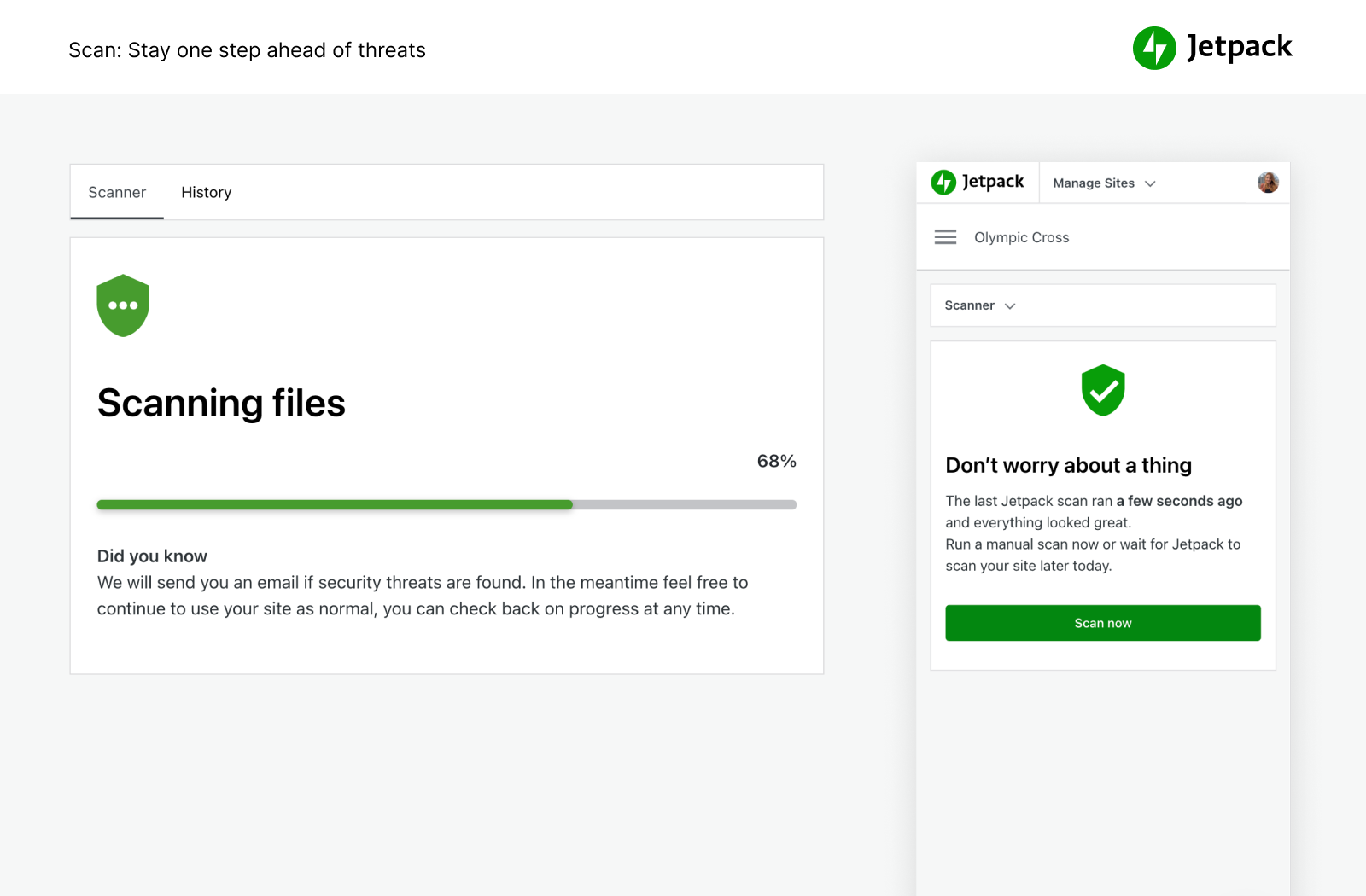
- Automatically perform malware scans and security scans for other code threats. One click fix to restore your site for malware.
- Block spam comments and form responses with anti spam features powered by Akismet.
- Brute force attack protection to protect your WordPress login page from attacks.
- Monitor your site uptime / downtime and get an instant alert of any change by email.
- Secure WordPress.com powered login used by millions of sites with optional 2FA (two factor authentication) for extra protection.
- Auto update individual plugins for easy site maintenance and management.
You can purchase all of Jetpack’s security features in our Security bundle, or VaultPress Backup, Scan, and Akismet Anti-spam can each be purchased individually.
PEAK SPEED AND PERFORMANCE
Get blazing fast site speed with Jetpack. Jetpack’s free CDN (content delivery network) auto optimizes your images. Watch your page load times decrease — we’ll optimize your images and serve them from our own powerful global network, and speed up your site on mobile devices to reduce bandwidth usage and save money!
- Image CDN for images and core static files, like CSS and JavaScript, served from our servers, not yours, which saves you money and bandwidth.
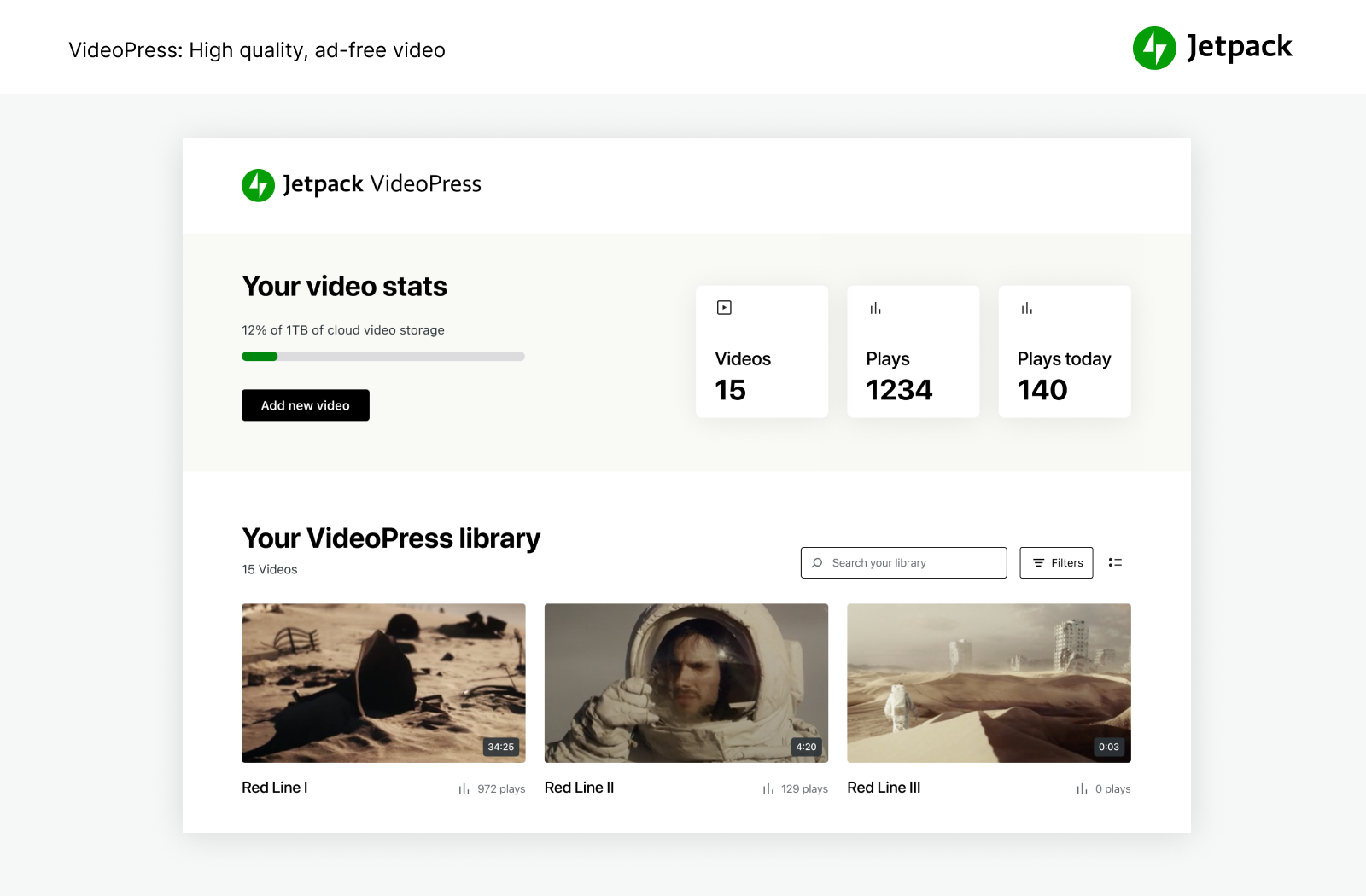
- Unlimited, high speed, ad free video hosting keeps the focus on your content, not on ads or recommendations that lead people off site.
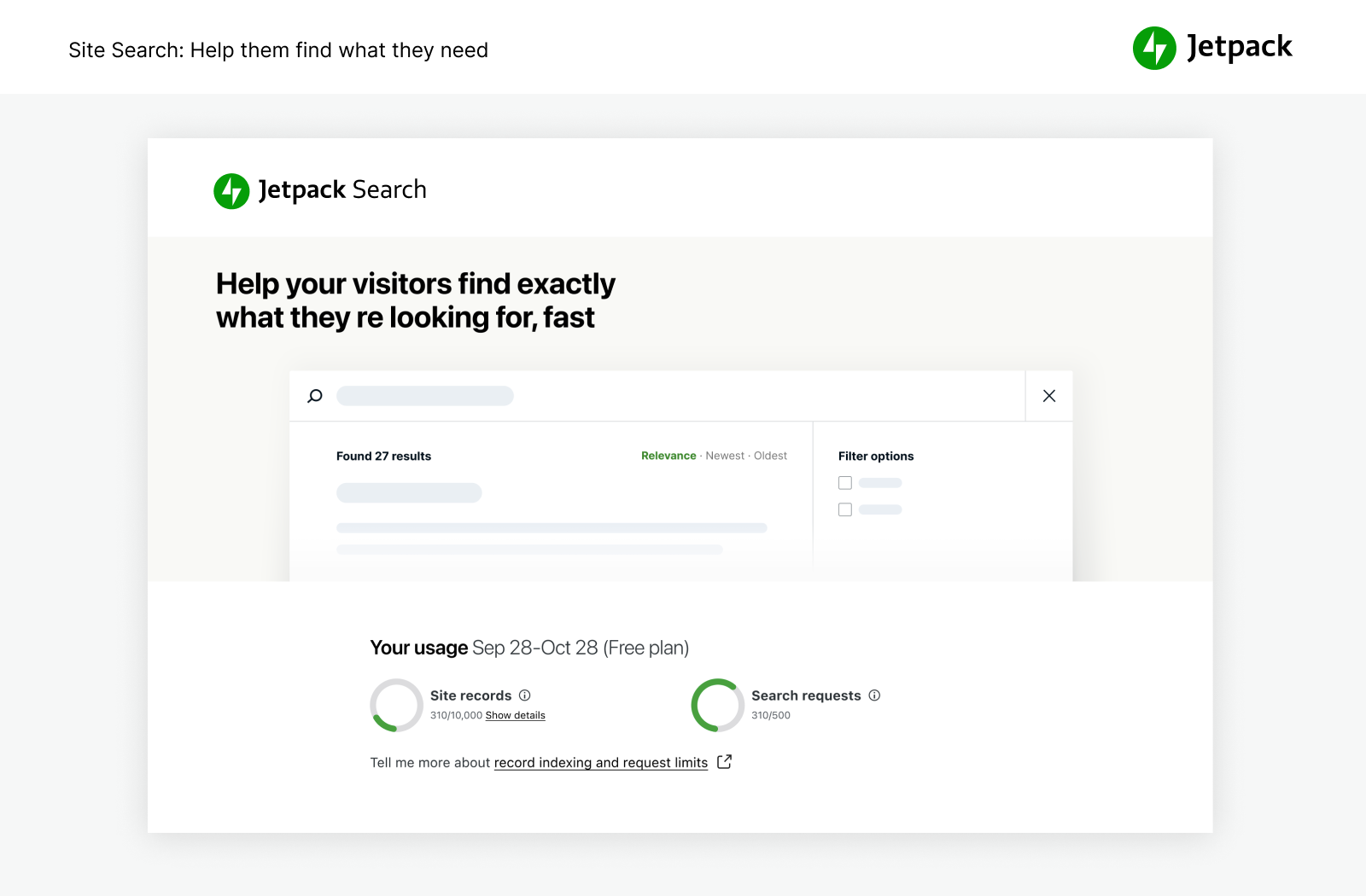
- Custom site search is incredibly powerful and customizable. Helps your visitors instantly find the right content so they read and buy more. Works great with WooCommerce / eCommerce sites to help filter products so customers get what they want on your site faster.
- Recommended to use with Jetpack Boost for ultimate WordPress site speed.
POWERFUL TOOLS FOR GROWTH
Create and customize your WordPress site, optimize it for visitors and revenue, and enjoy watching your stats tick up. Build it, share it, and watch it grow.
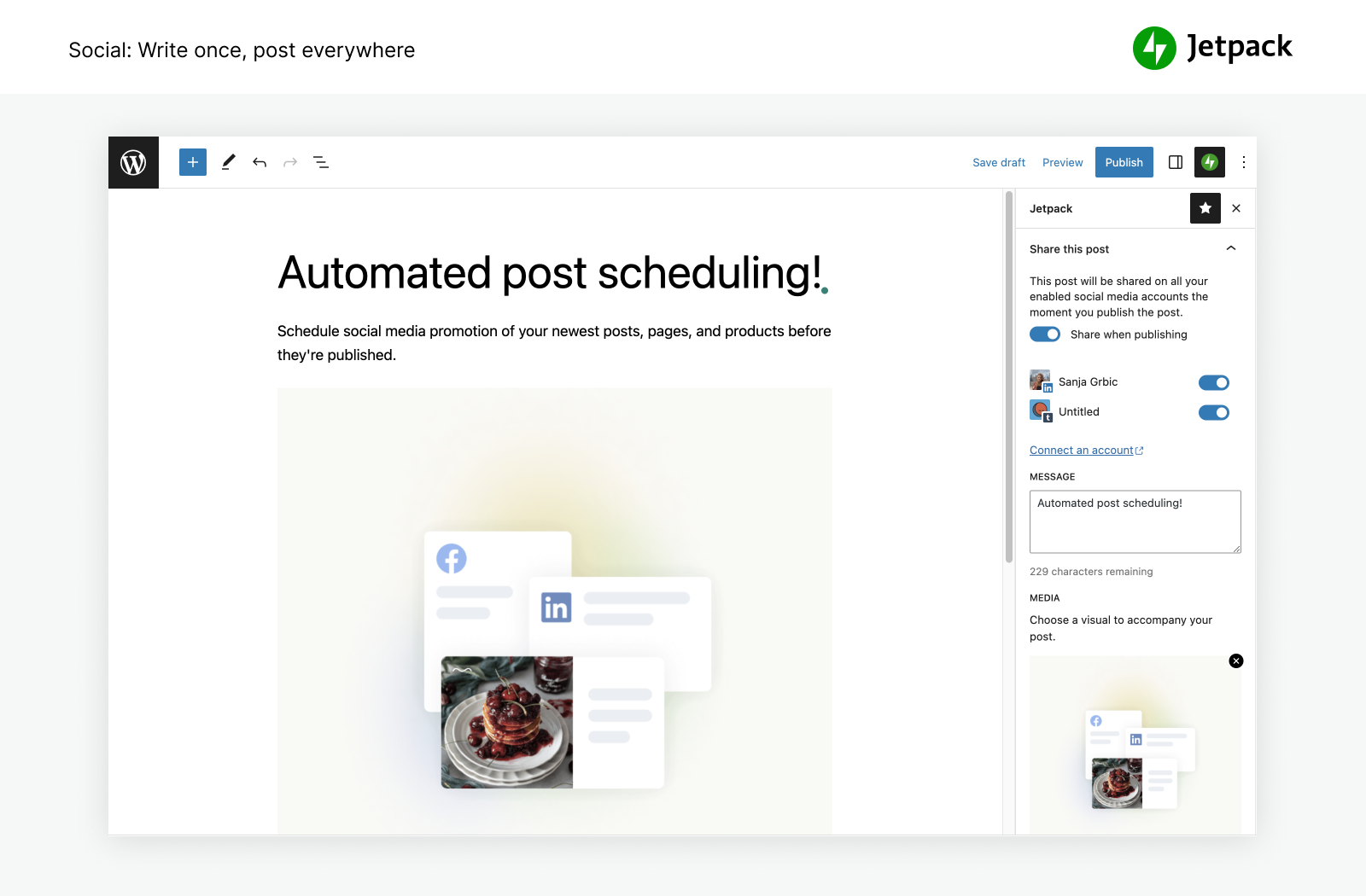
- Auto publish blog posts and products to social media by simply using our tools to connect to Facebook, Bluesky, Threads, Tumblr, Mastodon, LinkedIn, and Nextdoor.
- Easily share Instagram posts on your pages and blog posts.
- Collect a payment or donation, sell a product, service, or membership with simple integrations with PayPal and Stripe.
- Grow traffic with SEO tools for Google, Bing, Facebook, and WordPress.com. XML sitemap created automatically.
- Advertise on your site to generate revenue. The ad network automatically does the work for you to find high-quality ads that are placed on your site.
- Manage Jetpack features from anywhere with the official WordPress mobile app, available for Apple iOS (iPhone or iPad) and Google Android.
- Looking for Customer Relationship Management? Check out the Jetpack CRM plugin which works alongside Jetpack to give you a simple and practical way to build relationships with your customers and leads.
POWERFUL STATS TO GROW YOUR SITE
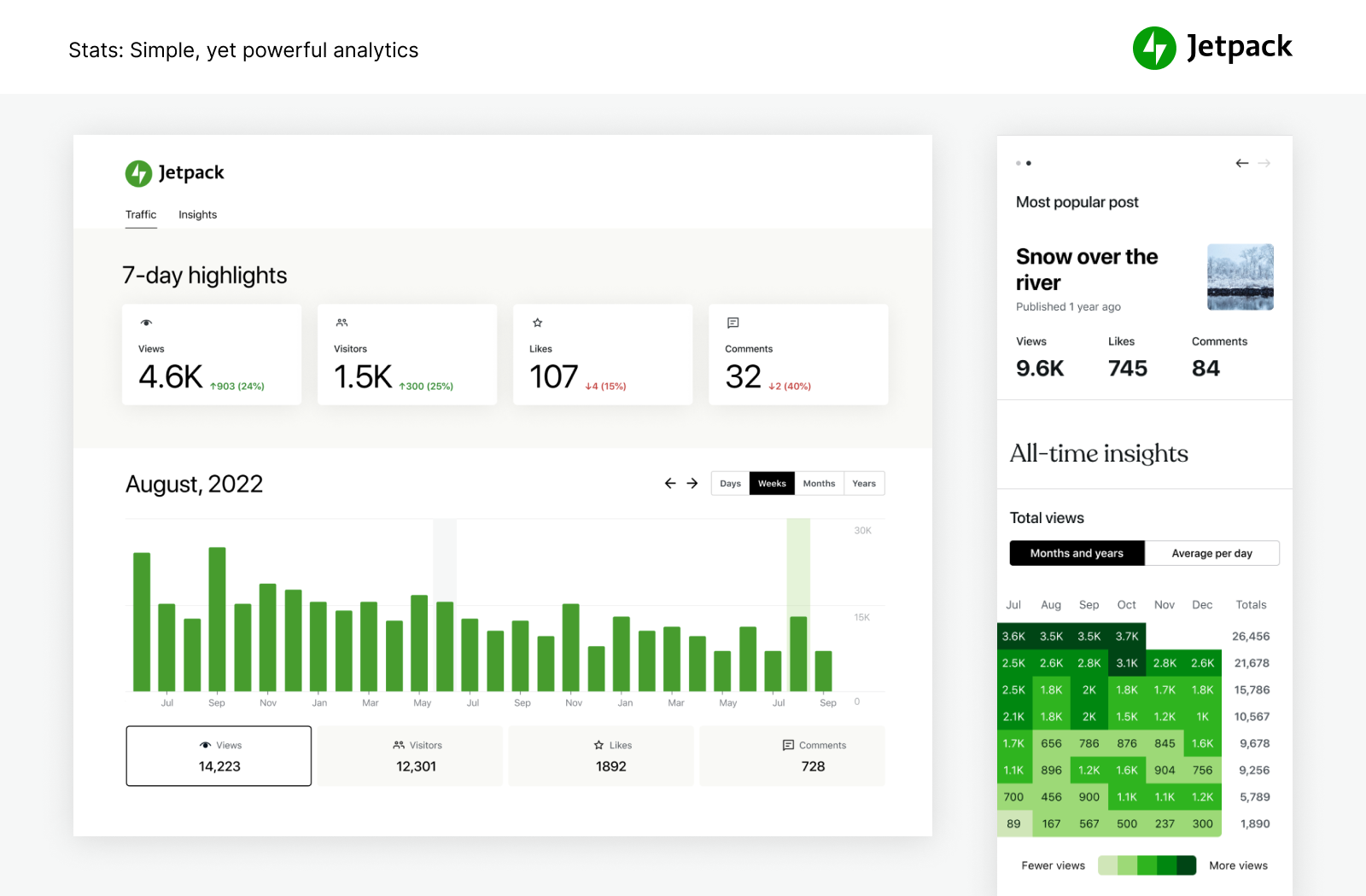
With Jetpack Stats, you don’t need to be a data scientist to see how your site is performing.
- Advanced site stats and analytics to help you understand your audience.
- Discover your top performing posts & pages.
- See who is creating the most popular content on your team with our author metrics.
- Easily keep track of your content creation habits & trends over the years.
- View weekly and yearly trends with 7-day Highlights and Year in Review.
- See what popular social networks your content is being shared to the most.
- Explore real-time data on visitors, likes, and comments.
- Get detailed insights on the referrers that bring traffic to your site.
- Discover what countries your visitors are coming from.
- Measure link clicks, video plays, and file downloads within your site.
WRITE SMARTER, NOT HARDER.
Experience the ease of crafting professional content with intuitive and powerful AI. Jetpack AI Assistant effortlessly integrates with your WordPress editor, offering an intuitive interface to interact with AI.
This powerful block lets you generate diverse content at your command, significantly reducing the time and effort required in content creation.
Simply provide a prompt, and watch as Jetpack AI Assistant crafts compelling blog posts, detailed pages, structured lists, and comprehensive tables – all tailored to your needs.
- Harness AI power directly from your editor.
- Unlock high-quality, tailored content at your command.
- Maintain professional standards with ease.
- AI-powered translations across numerous languages at your fingertips, breaking down language barriers.
PROMOTE YOUR CONTENT EASILY WITH JETPACK BLAZE
Find new fans by promoting your posts and pages across millions of sites in the WordPress.com and Tumblr ad network.
- Create your ad. Choose your audience. Set your budget. It’s that easy.
- Amplify your reach for just a few dollars.
EASY DESIGN TOOLS
Quickly customize your site to make it stand out — no coding needed.
- Themes — Simple WordPress themes to get started on your site.
- Related posts — Keep visitors on your site by automatically showing them related content they will be interested in.
- Gallery and Slideshow tools — Image galleries, carousel slider, and slideshows for WP sites and stores.
- Subscriptions — Make it easy for visitors to sign up to receive notifications of your latest posts and comments.
- Contact form — Easily build unlimited contact forms for free without any coding. Receive email notifications for each response. Integrate with mail solutions like Creative Mail to reach your customers and leads quickly. Connect to Jetpack Anti spam (powered by Akismet) to filter submissions.
- oEmbed Support — easily embed images, posts, and links from Facebook and Instagram.
INTEGRATIONS
Jetpack is updated monthly to ensure seamless integration with top WordPress plugins and other tech products.
- Built for WooCommerce: Jetpack and WooCommerce are both made by Automattic. Backup, Scan, Anti-spam, integrate perfectly for Woo / eComm stores.
- Jetpack is fully compatible with v2.0 of the official AMP plugin for WordPress.
- Better understand your customers and marketing with Google Analytics (GA) integration.
- Social media platforms: Instagram, Facebook, Tumblr, LinkedIn, Threads, Bluesky, Nextdoor.
- Simple Blocks to customize your site: Pinterest, Whatsapp, Podcast player, GIFs, maps, tiled gallery, slideshow.
- Payment processors: easily collect payments or donations and sell products through Stripe and PayPal.
- Site speed and performance plugins: Works great with WP Super Cache by Automattic and Cloudflare.
- Contact form: Anti-spam (Powered by Akismet) blocks spam comments for Jetpack forms, Contact Form 7, Ninja Forms, Gravity Forms, Formidable Forms, and more.
- Other tech integrations: Instagram, Creative Mail, Mailchimp, Calendly, Whatsapp, Pinterest, Revue, and more.
EXPLORE MORE OF JETPACK
If you like Jetpack, consider checking out our other products and bundles
- Jetpack Complete – The Complete bundle with real‑time security, top performance, and everything you need to grow your business.
- Jetpack Security – Our Security bundle provides easy‑to‑use, comprehensive WordPress site security, including real‑time backups, a web application firewall, malware scanning, and spam protection.
- Jetpack Backup – Save every change and get back online quickly with one‑click restores from Jetpack VaultPress Backup.
- Jetpack Scan – Protect your site from bad actors around‑the‑clock ‑ with our web application firewall (WAF) and automated malware scanning with one‑click fixes.
- Jetpack Search – Instantly deliver the most relevant results to your visitors with Jetpack Search. No coding required, no ads, and no tracking.
- Jetpack Boost – Increase your website speed. Enjoy the same performance advantages as the world’s leading websites, no developer required.
- Jetpack VideoPress – Display stunning‑quality video with none of the hassle. Drag and drop videos through the WordPress editor and keep the focus on your content, not the ads.
- Jetpack AI – Turn your ideas into ready‑to‑publish content at lightspeed.
- Jetpack Stats – Keep track of your website visits, popular posts, newsletter subscribers and more.
- Jetpack Social – Automatically share your website content to your favorite social media platforms, from one place.
- Jetpack CRM – Jetpack CRM has all of the tools you need to grow your business. It’s also modular, so you can customize it to suit your needs.
- Jetpack Creator – Craft stunning content, boost your subscriber base, and monetize your online presence.
- Jetpack Newsletter – Transform your blog posts into newsletters to easily reach your subscribers. Offer paid subscriptions and earn from your content.
KEEP SPAM OFF YOUR WEBSITE
- Akismet Anti-spam – Automatically clear spam from comments and forms. Save time, get more responses, give your visitors a better experience – all without lifting a finger.
PROMOTE YOUR CONTENT FOR MORE VIEWS
- Blaze – Find new fans by promoting your posts and pages across millions of sites in the WordPress.com and Tumblr ad network.
MANAGE MORE THAN ONE SITE?
- Jetpack Manage – All the tools you need to manage multiple WordPress sites. Monitor site security, performance, and traffic, and get alerted if a site needs attention.
FLY HIGHER WITH INDIVIDUAL PLUGINS
Ever wish you could have just one feature of Jetpack in its own plugin? Now you can. Check out our individual plugins and install only what you need.
Скриншоттор
Блоктор
This plugin provides 49 blocks.
- Subscribe Subscribe to this blog's posts as a newsletter.
- Goodreads Features books from the shelves of your Goodreads account.
- Subscriber Login Show links for subscribers to login, logout, or manage their subscription.
- Send A Message Let your visitors send you messages with the tap of a button.
- Sharing Buttons Give your readers the ability to easily share your content with X, Facebook, Tumblr, LinkedIn, and a host of other services to help spread your message across the web.
- Eventbrite Checkout Embed Eventbrite event details and ticket checkout.
- Ad Earn income by adding high quality ads to your post.
- Story Add an interactive story.
- Voice to content Transform your spoken words into a post ready to publish with AI.
- Map Add an interactive map showing one or more locations.
- GIF Search for and insert an animated image.
- Recipe (Beta) Add images, ingredients and cooking steps to display an easy to read recipe.
- Blogroll Share the sites you follow with your users.
- Blog Stats Show a stats counter for your blog.
- Nextdoor Embed a Nextdoor post for your neighbors on your blog.
- AI Assistant Elevate your content creation with our AI-powered Gutenberg Block, offering seamless customization and generation. Bear in mind that, as an evolving tool, occasional imprecision may occur.
- Latest Instagram Posts Display an automatically updating list of the latest posts from your Instagram feed.
- Tock Reserve a table at your restaurant with Tock.
- Paid Content Restrict access to your content for paying subscribers.
- Markdown Add headings, lists, or links to plain text with ease.
- Google Calendar Embed a Google Calendar.
- Mailchimp Allow readers to join a Mailchimp audience.
- Google Docs (Beta) Embed a Google Document.
- Cookie Consent Display a customizable cookie consent banner. To display this block on all pages of your site, please add it inside a Template Part that is present on all your templates, like a Header or a Footer.
- Repeat Visitor Control block visibility based on how often a visitor has viewed the page.
- Related Posts Display a list of related posts.
- Payments Sell products and services or receive donations on your website.
- Star Rating Rate movies, books, songs, recipes — anything you can put a number on.
- Podcast Player Select and play episodes from a single podcast.
- Image Compare Compare two images with a slider. Works best with images of the same size.
- Writing Prompt Answer a new and inspiring writing prompt each day.
- Top Posts & Pages Display your most popular content.
- OpenTable Book a reservation with OpenTable.
- Donations Form Collect one-time, monthly, or annually recurring donations.
- Contact Info Add an email address, phone number, and physical address with improved markup for better SEO results.
- Tiled Gallery Display multiple images in an elegantly organized tiled layout.
- Payment Buttons Sell products and subscriptions.
- Business Hours Display opening hours for your business.
- Pinterest Embed a Pinterest pin, board, or user.
- Jetpack AI Search Provide a summarized answer to questions, trained on the sites content. Powered by AI.
- Slideshow Display multiple images in sequential order.
- Like Give your readers the ability to show appreciation for your posts.
- Calendly Embed a calendar for customers to schedule appointments.
- Form Create forms to collect data from site visitors and manage their responses.
- Video Playlist VideoPress powered list of videos in a single customizable player. Build the playlist from your VideoPress library or video links.
- VideoPress Embed a video from your media library or upload a new one with VideoPress.
- Sharing Button Display a sharing button, allowing users to share your post.
- Paywall Limit access to the content below this block to chosen subscribers.
- Payment Button Button allowing you to sell products and subscriptions.
Орнотуу
Automated Installation
Installation is free, quick, and easy. Set up Jetpack in minutes.
Manual Alternatives
Alternatively, install Jetpack via the plugin directory, or upload the files manually to your server and follow the on-screen instructions. If you need additional help read our detailed instructions.
FAQ.KG
-
Is Jetpack free?
-
Yes! Jetpack’s core features are free for non-commercial sites.
These include: site stats, a high-speed CDN for images, related posts, downtime monitoring, brute force attack protection, automated sharing to social networks, sidebar customization, SEO (search engine optimization) tools, and much more.
-
Should I purchase a paid plan?
-
It depends on your site and what kind of protection, performance, and design you need. If you make money from your site, the answer is “yes.” For context, Jetpack’s paid services include real-time backups, security scanning, spam filtering, video hosting, site monetization, search, priority support, and more.
To learn more about the essential security and WordPress services we provide and see how we can improve your site, visit our plans page.
-
Why do I need a WordPress.com account?
-
Since Jetpack and its services are provided and hosted by WordPress.com, a WordPress.com account is required for Jetpack to function.
-
I already have a WordPress account, but Jetpack isn’t working. What’s going on?
-
A WordPress.com account is different from the account you use to log into your self-hosted WordPress. If you can log into WordPress.com, then you already have a WordPress.com account. If you can’t, you can easily create oneduring installation.
-
How do I view my stats?
-
Once you’ve installed Jetpack, your stats will be available on your Jetpack dashboard and through the official WordPress mobile app.
-
How do I contribute to Jetpack?
-
There are opportunities for developers at all levels to contribute. Learn more about contributing to Jetpack or consider joining our beta program.
-
What else does Jetpack include?
-
Jetpack is the ultimate toolkit for WP for both the classic editor and the block editor, giving you everything you need for a professional site. It includes the following features:
- Activity log — Monitor all site changes for debug, troubleshooting, or maintenance
- Ads — Earn income by displaying high quality ads on your site.
- Beautiful Math — Use the LaTeX markup language for writing complex mathematical equations, formulas, and more.
- Carousel slider — Display a gorgeous full-screen photo browsing experience with comments and EXIF metadata.
- CDN — Helps your pages load faster by allowing Jetpack to optimize your images and serve your images and static files (like CSS and JavaScript) from our global network of servers.
- Comments — Replace your default comment form with an improved system with integrated social media login options.
- Comment Likes — Allows readers to like other comments to show their agreement, approval, or appreciation.
- Contact Form — Offer your readers the ability to get in touch, without giving out your personal email address.
- Custom CSS — Customize the appearance of your theme without creating a child theme or worrying about updates overwriting your customizations.
- Custom Content Types — Adds custom post types (CPTs) to your site.
- Downtime Monitor — Alerts you via electronic mail if your site goes down to ensure you keep uptime.
- Extra Sidebar Widgets — Extra widgets you can add to your blog, including RSS Links and Facebook Like Boxes.
- Gravatar Hovercards — Make your Gravatar profile visible to those viewing your blog.
- Google Analytics (GA) — Track your WordPress site statistics thanks to Google Analytics.
- Infinite Scroll — Pulls the next posts automatically into view when the reader approaches the bottom of the page.
- JSON API — Authorizes applications and services to securely connect to your blog, and allows them to use your content or offer you new functionality.
- Likes — Allows readers to show their appreciation for your posts with a single click.
- Markdown — Allows you to compose posts and comments with links, lists, and other styles using regular characters and punctuation marks. Markdown is used by writers and bloggers who want a quick and easy way to write rich text without having to take their hands off the keyboard.
- Malware detection – automatic malware scans that help protect your WP website with an automated resolution.
- Notifications — Receive notifications for new comments and Likes in your admin bar and on your mobile device.
- oEmbed Support — easily embed images, posts, and links from Facebook and Instagram.
- Plugin Management — Allows easy site maintenance by choosing which plugins update automatically.
- Post by Email — Publish posts using any mail client.
- Protect — Protect your site from traditional and distributed brute force login attacks.
- Publicize — Share new posts on social media networks automatically, or schedule future shares with custom messages.
- Related Posts — Show contextual posts your visitors might be interested in reading after they’re done with their current post.
- Secure Auth — Secure WordPress.com powered login used by millions of sites with optional 2FA (two factor authentication) for extra protection.
- Security Scanner — Anti-virus and other threat detection for your WordPress site with automated resolution.
- Search — A powerful replacement for WordPress’ built-in search, powered by Elasticsearch in the WordPress.com cloud
- SEO Tools — Optimize your site for search engines by taking advantage of our SEO tools.
- Sharing — Adds sharing buttons to your blog posts so readers can easily share your content.
- Shortcode Embeds — Embed videos from YouTube and other media across the web.
- Site Backup — Automatically back up your entire site. Duplicate, clone, migrate, transfer to a new host, and easily restore. Previously known as VaultPress.
- Site Stats — View site visits by date, as well as most popular Pages and Posts.
- Site Verification — Verify your site for use with Google, Bing, and Pinterest and their tools.
- Sitemap — Generate a list of pages to be indexed by search engines like Google or Bing.
- Spam Filtering — Automatically filter out spam comments, product reviews, or contact form submissions.
- Subscriptions — Allow visitors to receive notifications of your latest posts or comments.
- Tiled Galleries — Display your image galleries in three different styles: a rectangular mosaic, a square mosaic, and a circular grid.
- Video Hosting — Upload videos for fast, reliable hosting on WordPress.com.
- WP.me Shortlinks — Generate short and simple links to your content using the wp.me domain.
- Widget Visibility — Configure widgets to appear only on specific pages.
- WordPress.com Toolbar — The WordPress.com Toolbar feature replaces the default admin bar and offers quick links to the Reader, all your sites, your WordPress.com profile, and notifications.
-
What Blocks does Jetpack include?
-
Blocks are the individual sections that make up a page. There are many block types for you to use. Each block can be edited or moved independently of other blocks. The following is a list of all blocks currently available in Jetpack.
- Ad Block – The Ad block allows you to insert a Jetpack Ad unit anywhere within the content of any post or page.
- Business Hours Block – The Business Hours block allows you to display your business’s opening hours on your site.
- Calendly Block – Jetpack’s Calendly block allows your visitors to schedule one-on-one appointments, group events, and team meetings directly from your website.
- Contact Info Block – The Contact Info block lets you add your contact information (email address, physical address, phone number) to any post or page.
- Donations Block – The Donations block lets you add a payment button to any post or page for a donation, tips, and other contributions, using Stripe as the payment gateway.
- Eventbrite Block – With the Eventbrite block you can embed events on posts or pages.
- Form Block – The Form block lets you add a form to your post or page.
- GIF Block – The GIF block allows you to easily search for and embed an animated GIF image from Giphy directly into a post or page on your WordPress site.
- Google Calendar Block – The Google Calendar block allows you to easily embed a Google Calendar into your post or page
- Image Compare Block – The Image Compare Block allows you to display and compare the differences between two images side by side (or above and below) thanks to a slider.
- Latest Instagram Posts Block – The Latest Instagram Posts Block lets you display your most recent images from Instagram on your site. The block update automatically updates when you post new images to Instagram.
- Mailchimp Block – The Mailchimp block allows visitors to join your Mailchimp list.
- Map Block – The Map Block allows you to add a map to any post or page on your site.
- Markdown Block – With the Markdown block you can create formatted content using only regular characters and some punctuation marks.
- OpenTable Block – With the OpenTable block, you can add a reservation form on posts or pages.
- Pay with PayPal Block – Pay with PayPal lets you add a payment button to any post or page, and immediately start taking PayPal payments for physical products, digital goods, or a donation.
- Payments Block – The Payments Block lets you add a payment button using Stripe as the payment gateway. It works for one-time and recurring payments.
- Pinterest Block – The Pinterest block is the easiest way to embed Pinterest content to your site: it allows you to embed boards, profiles, and pins.
- Podcast Player Block – Jetpack’s Podcast Player block allows you to easily show your visitors a listing of recent episodes from a podcast and play them on your website.
- Related Posts Block – The Related Posts feature scans all of your posts’ contents, analyzes it, and uses that to display contextual posts your visitors might be interested in reading after they’re finished with the current post.
- Repeat Visitor Block – The Repeat Visitor block enables the author to control the visibility of its nested block(s) depending on how many times a visitor has previously visited the page.
- Revue Block – The Revue block creates a simple signup form for readers to opt-in to receive your newsletter.
- Slideshow Block – The Slideshow block lets you insert an image slideshow into a post or page.
- Star Rating Block – The Ratings block allows any site author to add reviews to the site.
- Subscription Form Block – The Subscription Form Block allows you to insert a subscription form within the content area of any post or page, enabling your readers to get notifications when you publish new posts.
- Tiled Gallery Block – With Tiled Galleries you can display your image galleries in four styles: tiled mosaic, circular grid, square tiles, and tiled columns.
- Video Block – The Video block enhances the existing WordPress Video block and allows you to upload videos from your computer to be hosted on WordPress.com, rather than on your host’s servers.
- WhatsApp Button Block – The WhatsAPP Button block will allow your customers to send them a message to enquire about their product or services, or ask for support. Clicking on the button will open WhatsApp and pre-fill the phone number and initial message.
Jetpack has also created extensions for some WordPress core blocks:
- Social Previews – This extension of the Block Editor allows you to preview what your post / page will look like on search engines and social media.
-
Do I need an SSL certificate?
-
You don’t need an SSL Certificate to run Jetpack on your WordPress website. However, it’s recommended to integrate them both into your overall WordPress security strategy. An SSL certificate (Secure Sockets Layer certificate) creates a secure connection between your website and your site visitors’ browsers. It encrypts any data shared on your site — like addresses, emails, phone numbers, and credit card information — and protects that data from hackers.
If you don’t have an SSL certificate, your site will show a “not secure” warning on users’ browsers, which can reduce your legitimacy in their eyes. SSL certificates also have a positive impact on search engine rankings.
The process of setting up an SSL certificate will depend on your hosting provider. Some hosts include free certificates, while others charge annually.
-
How does Jetpack work with WP Super Cache?
-
WP Super Cache works by caching your WordPress pages as static HTML pages so that page requests, for an already cached page, do not need to be processed by the WordPress PHP scripts. Typically, most visitors of your site will view cached versions of the WordPress pages, so your server will have more processing power to serve an increased number of users.
Jetpack has an image CDN that works by caching and serving your WordPress images globally from its own servers. These plugins are both maintained by Automattic and work together to give you ultimate site speed.
Automattic actively develops Jetpack Boost to help you increase your website speed in ways beyond WP Super Cache. We recommend using Jetpack Boost instead of WP Super Cache.
-
What version of PHP do I need?
-
Sites must be built on PHP 7.4 or greater, but Jetpack always supports the latest version of PHP.
-
Can Jetpack help my site comply with GDPR?
-
Our Cookie and Consent Banner can help you comply with GDPR. The European Union’s ePrivacy Directive (often referred to as the ‘cookie law’) and General Data Protection Regulation (GDPR) place requirements on website owners and operators to provide information about, and gain consent for their use of cookies.
-
Can Jetpack be used to transfer websites to a new host?
-
Jetpack Backup can do a full website migration to a new host, migrate theme files and plugins to a new database, create full database backups, clone websites, repair broken websites by restoring older backups and allow you to easily set up a test site by creating a duplicate of your existing website.
Сын-пикирлер


Contributors & Developers
“Jetpack – WP Security, Backup, Speed, & Growth” is open source software. The following people have contributed to this plugin.
Мүчөлөрү-
Automattic
-
Adam Heckler
-
Adi Moldovan
-
Andrew Duthie
-
Alex Kirk
-
Allen Snook
-
alternatekev
-
Andy Skelton
-
Anna McPhee
-
annezazu
-
Andy Peatling
-
arcangelini
-
arsihasi
-
Andrew Ozz
-
Barry
-
Mohammad Jangda
-
Beau Lebens
-
bindlegirl (a11n)
-
biskobe
-
Brad Jorsch
-
Ben Lobaugh (blobaugh)
-
brbrr
-
Briley
-
Michael Cain
-
Cena (a11n)
-
Christopher Finke
-
cgastrell
-
Chase Livingston
-
Michelle Langston
-
clickysteve
-
csonnek
-
Daniel Bachhuber
-
daniloercoli
-
Davor
-
Piotr Delawski
-
Sheri Grey
-
dkmyta
-
Daryl L. L. Houston (dllh)
-
Devin Walker
-
Dan (a11n)
-
Derek Smart
-
Jared
-
dzver
-
Eric Binnion
-
Echo
-
Elio Rivero
-
Enej Bajgorić
-
Eoin Gallagher
-
Stef (a11n)
-
Erick Hitter
-
Foteini Giannaropoulou (a11n)
-
Gregory Cornelius
-
George Stephanis
-
Greg Ichneumon Brown
-
goldsounds
-
hew
-
Hugo Baeta
-
hypertextranch
-
Matt Miklic
-
Ian Dunn
-
Joen Asmussen
-
Jeff Bowen
-
jeffgolenski
-
Jeremy Herve
-
Jenny (a11n)
-
Jenia
-
jessefriedman
-
Greg
-
Joey Kudish
-
Jennifer M. Dodd
-
joanrho
-
John James Jacoby
-
Em Shreve
-
kbrownkd (a11n)
-
keoshi
-
Jorge Bernal
-
Brandon Kraft
-
Lance Willett
-
leogermani
-
Luiz Kowalski
-
Lisa Schuyler
-
James Huff
-
martinremy
-
Matt Mullenweg
-
Matt Wiebe
-
Matias Ventura
-
Jeff Golenski
-
Miguel Fonseca
-
Michael Adams (mdawaffe)
-
Matthew Denton
-
Michael Arestad
-
Miguel Lezama
-
miguelxavierpenha
-
Mikey Arce
-
Marcus Kazmierczak
-
Nancy
-
Nick Momrik
-
njweller
-
nunyvega
-
Konstantin Obenland
-
Osk
-
Gary Pendergast
-
Jesse Friedman
-
rachelsquirrel
-
Rich Collier
-
Renato Augusto Gama dos Santos
-
retrofox
-
Richard Archambault
-
Richard Muscat
-
Rob Pugh
-
Rocco Tripaldi
-
Ryan C.
-
Sam Hotchkiss
-
Sami Falah
-
Stefan Carstocea
-
Scott (@scottsweb)
-
sdixon194
-
Stephen Quirk
-
sermitr
-
Mikael Korpela
-
Stephane Daury (stephdau)
-
Douglas Henri
-
Tim Moore
-
Marin Atanasov
-
Alex Mills
-
Peter Westwood
-
William Viana
-
Karen Attfield
-
Yoav Farhi
-
Igor Zinovyev
“Jetpack – WP Security, Backup, Speed, & Growth” has been translated into 50 locales. Thank you to the translators for their contributions.
Translate “Jetpack – WP Security, Backup, Speed, & Growth” into your language.
Interested in development?
Browse the code, check out the SVN repository, or subscribe to the development log by RSS.
Өзгөртүүлөр
16.2 – 2026-09-10
Enhancements
- AI: Add an AI SEO control to the AI settings page. The AI sidebar’s SEO suggestions follow it, separately from the automatic-generation setting.
- AI: Add a site-wide switch for Jetpack AI on self-hosted sites, preserving explicit opt-outs.
- AI: Add a welcome banner to the Overview tab, keep the tab navigation and a back link on MCP sub-pages, and name the MCP connect row by its action for screen readers.
- AI: Add Quick start links for connecting Claude and ChatGPT to the AI Hub Overview.
- AI: Hide the AI sidebar when the writing assistant and SEO enhancer toggles are both off.
- AI: Hide the Overview and AI Features views on WordPress VIP sites.
- AI: Make the AI toolbar button follow the writing assistant toggle.
- AI: Make the editor and automatic-generation toggles follow the AI SEO control, preserving saved choices when it is switched off and back on.
- AI: Make the Overview and AI Features tabs available on self-hosted sites and apply their controls.
- AI: Only show the AI SEO control on sites where the feature it turns on can run.
- AI: On sites with the WordPress Agent, replace the “Improve with AI” panel with a dismissible notice pointing to it.
- AI: Rename the admin page and menu item to Jetpack AI, update the page description, and point the “turned off” notice at Jetpack Products.
- AI: Return to the Jetpack AI Hub after upgrading from it, and point My Jetpack’s AI links at the Hub.
- AI: Show a connect-account card on the MCP settings page when the current user is not connected to WordPress.com.
- AI: Show the Learn more link for the Writing Assistant instead of the editor link.
- AI: Support the AI Hub on WordPress.com Simple sites.
- AI Assistant: Add feature settings controls for Jetpack AI tools.
- AI Features: Group the feature toggles into a single Agent capabilities card.
- AI settings: Make the Try it out links pre-open their target — the AI Assistant sidebar in the editor, and Image Studio’s generate mode in the Media Library.
- Akismet: Link the settings page header logo and title to the Akismet settings page.
- Blogging Prompts: Mark a post as a prompt answer when it is created through the REST API, so answers written in the Write editor keep their prompt tags and roundup link.
- Boost: Wait up to four minutes for slow speed tests in My Jetpack and At a Glance instead of timing out after two.
- Charts: Follow the WordPress admin color scheme for chart series colors.
- Charts: Update chart grid, axis and label colors immediately when the theme changes.
- Connection: Cache the WordPress.com site record briefly so the Jetpack dashboard does not make a request per view.
- Content Guidelines AI: Enable AI guideline suggestions on WordPress VIP sites.
- Forms: Add a guide to the form editor for people new to the block editor.
- Forms: Add a Print action to form responses.
- Forms: Add form fill duration to feedback entries.
- Forms: Add help text to form fields and show the date field’s expected format below its input.
- Forms: Allow a file upload field to accept more than one file.
- Forms: Make form navigation actions real links so they can be opened in a new tab.
- Forms: On small screens, show only the response and its actions instead of a table that scrolls sideways.
- Forms: On small screens, the View action now opens a response the same way tapping its title does.
- Forms: Remember which response columns are shown, and their order, for each form.
- Forms: Rewrite the missing forms modal to reassure people that forms already on their pages keep working, and spell out the steps to add them to the list.
- Forms: Show each form field as a column when viewing a single form’s responses.
- Forms: Show progress while a new form’s editor opens, and report it when creating a form fails.
- Map Block: Add support for wide and full width alignments.
- My Jetpack: Allow the Automattic for Agencies banner to be dismissed.
- Newsletter: Explain why the Everyone audience is unavailable when a post has a paywall block, instead of linking to the block.
- Newsletter: Let editors preview email with only a site connection while continuing to require a user connection for test emails.
- Newsletter: Rename the Access panel to Audience, describe who can read each post, and link out to set up paid subscribers.
- Podcast: Add a setting for how many episodes the podcast feed includes.
- Podcast: Replace the stats date range picker with one built on the WordPress design system calendar.
- Podcast: Split the Distribution directories into Automatic and Manual submission, explain why a disabled button is disabled, and link to your Pocket Casts show once it is live.
- Search: Preserve the saved AI Answers choice while site-wide AI is off, disable unavailable controls, and honor the host AI opt-out in the AI Answer block. Require Instant Search to enable AI Answers.
- Search Blocks: Add a customizable No Results block while continuing to render existing Results List messages.
- Sidebar: Sort Jetpack menu items alphabetically, pinning My Jetpack to the top and external links and Settings to the bottom.
- Sitemaps: Speed up sitemap generation and reduce its memory use on sites with many posts and images.
- Stats: Show the Stats dashboard before the site is connected to WordPress.com, so a plan can be picked and the site connected from there.
- Subscriptions: Remove the transitional Subscribers announcement page and redirect its URL to Newsletter.
- VideoPress: Add a first-run welcome modal to the dashboard.
- VideoPress: Add a site-wide setting to turn off player preloading for every embed.
- VideoPress: Invite the first upload with a dropzone when the video library is empty.
- VideoPress: Open the file picker directly from the dashboard welcome modal’s Upload a video button, then land on the Library to follow the upload’s progress.
- VideoPress: Redesign the video details page with grouped details, a wider layout, side-by-side player and settings, thumbnail tiles, collapsible sections, and an Add to content action.
Improved compatibility
- CSV import and export in Forms and Stats now process data containing backslashed quotation marks as specified in the relevant standard.
- Tested up to WordPress 7.1.
- Update minimum PHP version to 7.4.
- Update minimum WordPress version to 7.0.
Bug fixes
- Activity Log: Ensure table content wraps neatly onto a new line if long.
- Admin bar: Fix a fatal error when the endpoint’s global
$wp_admin_baris null. - Admin dashboards: Continue the wp-admin menu color behind the page frame on WordPress.com and third-party admin color schemes.
- Admin dashboards: Keep the page header and content in view when the wp-admin menu is taller than the window.
- Admin pages: Fix Jetpack dashboards overlapping the admin menu in right-to-left languages.
- AI: Auto-activate the AI module on sites running a 16.2 prerelease build.
- AI: Keep the editor working when another plugin loads an older copy of the Status package.
- AI: Prevent saving the General Settings page from turning off Jetpack AI features.
- AI: Show connection notices instead of raw connection errors on the MCP settings page when the site or the current user is not connected to WordPress.com.
- AI Assistant: Scroll the Form block’s AI prompt into view when it opens, so it no longer sits over the form.
- At a Glance: Stop requesting a new speed score on sites that already have Boost.
- Backup: Fix the backup overview ability reporting no storage usage, storage limit or backup time.
- Backup: Show a failure message when your backup status cannot be read, rather than the screen that says your first backup is on its way, and let the “Back up now” button recover when a backup could not be queued.
- Backup: Show storage usage and the plan limit the right way round when the interface is translated.
- Blocks: Keep blocks that load outside the post editor available in front-end block editors such as P2, by never deferring their registration.
- Blocks: Treat WordPress.com public API requests as a block-editor context so editor-only extensions load, restoring block plan availability (such as the core/video upgrade nudge) in the mobile editor.
- Blogging Prompts: Prevent prompt rendering from interfering with other page content.
- Boost: Stop At a Glance re-testing the site speed when a recent score is already stored for the site’s URL.
- Carousel: Keep the loading overlay hidden when the module stylesheet is missing.
- Charts: Draw labels at the design system’s font weight and size.
- Charts: Keep chart tooltips under sticky and fixed page elements.
- Charts: Use the site’s time zone and locale for line and area chart date ticks, hourly labels, and tooltips.
- Comments: Improve security in social comment avatar rendering.
- Connection: Show the reason a site registration failed, in cases where the notice was incomplete or did not appear at all.
- Connection: Stop showing a duplicate account notice when your WordPress.com email differs from your site email only in letter case.
- Connection: Update wording for some connection error notices.
- Contact Form: Bind the posted form id to the signed form when validating a token-authenticated submission.
- Contact Form: Remove the classic-theme editor margin between a field’s label and its input.
- Content Guidelines AI: Keep the empty-state banner from painting over the sticky page header while scrolling.
- Editor: Refresh the cached plan when returning from a plan purchase so paid blocks (such as the Forms file upload field) stop showing their upgrade nudge once the plan is active.
- Editor: Restore active module state for module-dependent features.
- External Media: Improve validation for media copy requests.
- Fix the premium block upgrade banner rendering collapsed and too narrow on the site frontend.
- Forms: Allow a single response to scroll when it is taller than the screen.
- Forms: Apply the name typed when creating a form, and stop a dismissed save from reporting into a reopened dialog.
- Forms: Cancel in-flight uploads and release previews when a form containing a file upload field is reset.
- Forms: Fix checkbox and consent field alignment in the editor on classic themes.
- Forms: Fix several problems with adding more than one file at once to the file upload field, and with uploads that stall or fail.
- Forms: Fix the first change made to a form after opening a page being discarded when saving.
- Forms: Fix the form editor welcome guide artwork not loading on WordPress.com Simple sites.
- Forms: Improve accessibility of image options in the form submission summary.
- Forms: Keep an option’s label when switching it to the “Other” option.
- Forms: Keep one column per form field on a form’s responses when a field is moved, and read every answer from the field it belongs to.
- Forms: Keep prev/next working on a single response after marking it as spam or trash, open responses instantly from the list, and add keyboard shortcuts for triaging responses.
- Forms: Keep response field icons and formatting after marking a response as spam.
- Forms: Keep the remaining files when a folder or dragged text is included in a multi-file drop on the file upload field.
- Forms: Let screen readers announce a date field’s own label instead of the date picker instructions.
- Forms: Make Group and Columns blocks fill the form width so nested fields render full-width.
- Forms: Preserve line breaks in multi-line answers in the responses dashboard.
- Forms: Prevent an error that could stop responses from loading when a file upload field was stored without any file data.
- Forms: Prevent a new choice option from inheriting the previous option’s label when pressing Enter.
- Forms: Remove an uploaded file from the form immediately instead of waiting for the server, so a slow connection no longer leaves the file upload field looking stuck.
- Forms: Restore multi-page printing of a single response.
- Forms: Restore the Integrations button in the Form block toolbar when the settings sidebar is closed.
- Forms: Scroll a single response from the page edge instead of from inside the reading column.
- Forms: Show an empty checkbox icon next to checkbox fields the respondent left unchecked, instead of always showing a ticked one.
- Forms: Show a selected response beside the responses list again instead of below it. Also fixes the same sidebar layout on the Newsletter and SEO dashboards.
- Forms: Space out the files listed on a response and line their download buttons up on one edge.
- Forms: Stop uploading a file that was removed while its upload was still being prepared.
- Forms: Validate a required phone field with a default country against what the input actually shows, so it can no longer be submitted empty.
- Heartbeat: Restore identity crisis reporting in the WP-CLI status command.
- Likes: Fix Like buttons sometimes getting stuck on “Loading…” and never appearing.
- Likes: Include public custom post types in default visibility settings so Likes and Comment Likes render on CPTs without requiring manual configuration.
- Likes: Keep Settings > Sharing available when sharing buttons are turned off, so the Likes and Comment Likes settings stay reachable.
- Likes: Rename the settings heading on Settings > Sharing to reflect what it holds when sharing buttons are off.
- Map Block: Remove the duplicate alignment toolbar in the editor.
- Media API: Restrict the edit endpoints to attachments, so they no longer accept ordinary post IDs.
- My Jetpack: Always label the license activation link “Activate a license”, including on sites with a plan but no activated licenses.
- My Jetpack: Keep the Automattic for Agencies banner hidden after dismissing it and switching tabs.
- My Jetpack: Show the right product status as soon as fresher plan data is available, instead of reusing an earlier lookup.
- My Jetpack: Stop repeating the partner lookup request on every page load.
- My Jetpack: Stop the Stats dashboard from asking which plan you want again after Start for Free was already chosen.
- Newsletter: Hide the “View delivery details” stats link in the publish panels when the Stats module is disabled, so the copy no longer points to an unavailable page.
- Newsletter: Make the post-publish email confirmation more visible.
- Newsletter: Prevent unsupported date filtering on the Subscribers page.
- Newsletter: Round the dashboard widget footer so it stops covering the rounded bottom corner of the WP Admin box.
- Newsletter: Save the post before generating an email preview, so the preview reflects the latest saved content (e.g. a newly-set featured image).
- Newsletter: Send the test email when pressing Enter, and show send errors as a proper error notice.
- Omnibar: Return admin bar nodes translated in the user’s locale.
- Paywall Block: Preserve paid post access after reloading the editor.
- Podcast: Scope the generated episodes list to the posts the current user can edit, matching the Posts screen.
- Podcast Player: Keep showing the most recent episodes when a podcast feed becomes slow or unreachable, instead of failing to load.
- Podcast Player: Stop preloading episode audio before playback to avoid inflating podcast download metrics.
- Premium Content: Keep subscription login available when a WordPress session lacks a subscription token.
- Premium Content: Restore the local account link from a verified magic-link token so subscription access persists.
- Related Posts: Improve handling of protected content.
- Search: Fix a crash on mount when the localized widget configuration is missing or incomplete, which could leave the whole page blank.
- Search: Prevent General Settings from disabling Site Chat and WordPress Agent access.
- SEO: Hide the post list SEO columns for people who had customized Screen Options before those columns existed.
- SEO: Improve handling of protected content in generated metadata.
- SEO: Move the dashboard’s toast notices back to the top right.
- SEO: Stop the search-engine indexing toggle from publishing a private or coming-soon site.
- SEO Tools: Fix og:description leaking the first post’s custom SEO description on archive and latest-posts homepage views.
- Settings: Dismiss success notices automatically instead of leaving them on screen.
- Sharing: Use an unpredictable name for share and Press This popups so another page cannot pre-register the same window name.
- Sitemaps: Avoid a PHP notice when a sitemap query returns no posts.
- Stats: Fix access for users whose allowed role is not their first assigned role.
- Stats: Fix traffic charts that could keep loading when a site’s connection needs attention.
- Stats: Keep excluding a visitor IP address from tracking when it is written in another form.
- Stats: Limit Top Posts & Pages processing to the number of posts requested.
- Stats: Report the same visitor address the rest of Jetpack resolves on sites with a trusted IP header configured.
- Stats: Return a validation error when the role settings are submitted in the wrong format.
- Stats: Stop recording a malformed visitor IP address.
- Status: Detect sites using any address in the
127.0.0.0/8loopback range or0.0.0.0as local sites. - Subscribers: Restore the option to assign imported subscribers to specific newsletter categories on CSV upload and manual add.
- Subscriptions: Fix subscribe prompts and paywalled content incorrectly showing or blocking for readers who follow the site but have no active email subscription.
- Subscriptions: Recognize subscriber sessions in the Subscriber Login and Premium Content blocks.
- Tiled Gallery: Fix the gallery growing without bound inside a vertical Group or Stack, and keep its width in step with the space available when a surrounding block is resized or re-aligned.
- Tiled Gallery: Keep VIP gallery images off the external Photon domain and add the
jetpack_skip_photon_domainfilter. - Tiled Gallery: Remove the forced gray background on images that made transparent areas appear gray.
- VideoPress: Avoid incorrect limits and upgrade prompts when site features cannot be loaded.
- VideoPress: Fix “Add to a post or page” opening an empty editor instead of inserting the selected video block.
- VideoPress: Fix a timeout error when updating a video poster from the media library.
- VideoPress: Fix playlist block video titles overlapping when long, and apostrophes rendering as HTML entities.
- VideoPress: Fix private video playback authorization for videos embedded through synced patterns and Video Playlist blocks, let private videos preview in the block editor canvas, load live metadata for private playlist entries for authorized viewers, and show a lock placeholder on playlist thumbnails of private videos the viewer cannot access.
- VideoPress: Fix the dashboard rendering blank on WordPress 7.0.x.
- VideoPress: Register the Video Playlist block from the Jetpack plugin when the VideoPress module is active.
- VideoPress: Say when a video upload failed because of a Jetpack connection problem, instead of only “Upload failed”.
- VideoPress: Say when a video upload from the Video block failed because of a Jetpack connection problem, instead of only “Failed to upload your video”.
- VideoPress: Show the Jetpack connection error notice on the VideoPress dashboard again.