

Сүрөттөө
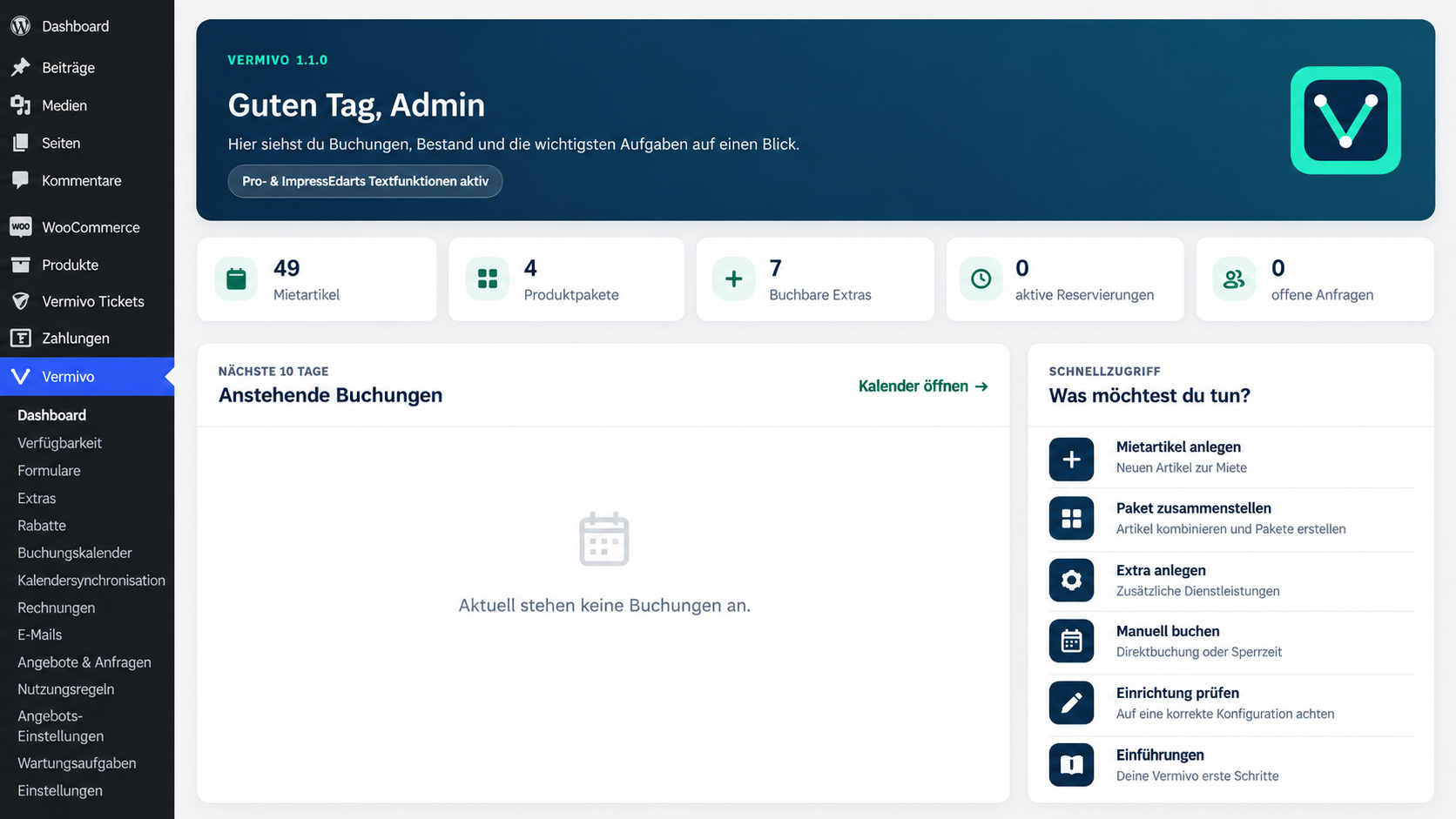
Vermivo adds rental management to WordPress and WooCommerce. Create rental items, define availability and quantities, accept bookings and manage reservations directly in your WordPress dashboard.
Vermivo Free is a usable core plugin, requires no license key and is updated through WordPress.org. Elementor is optional: shortcodes also work with other themes and page builders.
Free features
- Rental items with prices, quantities and availability
- Calendar-day and configurable 12-hour or 24-hour rental units
- Availability checks and protection against overlapping bookings
- Temporary cart reservations with automatic release
- WooCommerce integration for classic cart, checkout and orders
- Pickup and basic flat-rate delivery options
- Deposits and integration with WooCommerce taxes
- Shortcodes for catalog, rental items, search and booking forms
- Elementor widgets for core catalog and booking functions
- Compact catalog cards with expandable booking forms
- Responsive layouts and appearance settings
- Setup wizard, system status and WordPress privacy tools
- WooCommerce High-Performance Order Storage (HPOS) compatibility
Optional Vermivo Pro add-on
Vermivo Pro is a separately distributed commercial extension. Its premium code is not included in this WordPress.org download, and the Free plugin does not require Pro to work.
Depending on the edition, optional features include rental packages, extras, quote requests, duration-based tier pricing, advanced delivery rules, rental contracts and PDF documents, QR codes, calendar synchronization, email automation and additional design controls.
See Vermivo plans and product information for details.
Privacy and external services
Vermivo Free does not send customer, booking or contract data to Vermivo servers and does not perform license checks. Free plugin updates are delivered through WordPress.org.
An optional “Powered by Vermivo” attribution is disabled by default and is shown only if the administrator enables it. Separately installed extensions may use additional services and have their own documentation.
Vermivo integrates with WordPress privacy export and erasure tools. Business records may remain subject to legal retention obligations.
Скриншоттор
Орнотуу
- Install and activate WooCommerce.
- Install and activate Vermivo from the WordPress plugin directory.
- Complete the Vermivo setup wizard.
- Create a rental item; Vermivo links the required WooCommerce product.
- Add the catalog to a page using
[vermivo_katalog]or a supported Elementor widget. - Use the classic WooCommerce Cart and Checkout for rentals. Cart and Checkout Blocks are not supported for the Vermivo rental flow in this release.
FAQ.KG
-
Is Vermivo Free fully usable without a license?
-
Yes. Vermivo Free needs no license key. Pro is an optional separate add-on.
-
Do I need Elementor?
-
No. You can use the provided shortcodes with other themes and page builders. Elementor widgets are an additional option.
-
Are WooCommerce Cart and Checkout Blocks supported?
-
No. Use the classic WooCommerce cart and checkout for Vermivo rental orders. The block-based flow is not supported in this release.
-
Does Vermivo support WooCommerce HPOS?
-
Yes. Vermivo declares HPOS compatibility and handles orders using WooCommerce APIs.
-
How do the compact product cards work?
-
Rental cards can show an expandable booking form. The card display behavior can be configured in Vermivo settings; only one form is expanded at a time in compact mode.
-
What happens to data if I deactivate Vermivo Pro?
-
Shared rental items, bookings and inventory data stay with Vermivo Core. Optional premium functions are not available without the Pro add-on.
-
Can I update from an older Vermivo or Mietpilot installation?
-
Vermivo contains migration safeguards for its older identifiers and preserves existing booking references. Back up files and database before updating. If the older core at
mietpilot/mietpilot.phpis still active, deactivate it manually before activating the new plugin.
Сын-пикирлер

Contributors & Developers
“Vermivo” is open source software. The following people have contributed to this plugin.
Мүчөлөрү
Translate “Vermivo” into your language.
Interested in development?
Browse the code, check out the SVN repository, or subscribe to the development log by RSS.
Өзгөртүүлөр
1.1.5
- Fixed compact rental and package cards appearing expanded when WordPress filtered the HTML
hiddenattribute. - Allowed the required accessibility attributes for reliable expand/collapse controls without disabling HTML sanitization.
1.1.4
- Introduced compact rental cards with expandable booking forms and a configurable display mode.
- Kept the rental price calculation and checkout workflows unchanged.
1.1.3
- Clarified the difference between calendar days and 24-hour rental units.
- Preserved existing rental-duration configurations and calculation modes.
1.1.2
- Added backward-compatible pricing hooks for optional duration-tier extensions.
- Preserved tier-price snapshots in WooCommerce order records and improved cart price breakdowns.
1.1.1
- Improved plugin metadata, author links, plugin-row settings links and Pro information links.
- Added screenshot metadata for the WordPress.org directory.
1.1.0
- Introduced the canonical
vermivo/vermivo.phpplugin path and legacy migration safeguards. - Separated the free WordPress.org core from the optional Pro add-on.
- Improved calendar controls, Elementor compatibility, inventory and reservation safeguards.
- Improved output sanitization and WordPress.org compatibility.