Мазмунга өтүү
WordPress.org

Kyrgyz

  • Темалар
  • Плагиндер
  • Жаңылыктар
  • Биз тууралуу
  • WordPress'ти жүктөп алыңыз
WordPress'ти жүктөп алыңыз
WordPress.org

Plugin Directory

WP ShareX

  • Submit a plugin
  • My favorites
  • Кирүү
  • Submit a plugin
  • My favorites
  • Кирүү

This plugin hasn’t been tested with the latest 3 major releases of WordPress. It may no longer be maintained or supported and may have compatibility issues when used with more recent versions of WordPress.

WP ShareX

Автору joomdev
Жүктөө
  • Кенен маалымат
  • Сын-пикирлер
  • Орнотуу
  • Development
Колдоо

Сүрөттөө

WP ShareX is an advanced WordPress Social Share plugin enables you to add social share buttons on Posts and pages. You can assign buttons on Top of the Content, Bottom of the Content, Sidebar and on media.

Features of WP Social Share by JoomDev
1. 24 Social Network
2. You have the option to select either Icons or Icons with Text
3. 3 Button Shapes
4. 4 Button Animations
5. URL Shortening Option with Bitly and Goo.gl
6. Embed Twitter Handle and desired tags with Tweet
7. 4 Button display Location e.i. Top of the Content, Bottom of the content, Media, and Sidebar
8. Hide On Mobile Ability
9. Default Share Count Option. (You can play with your user’s mind)
10. Encourage your Audience to share your content with Share Incentive Feature

Скриншоттор
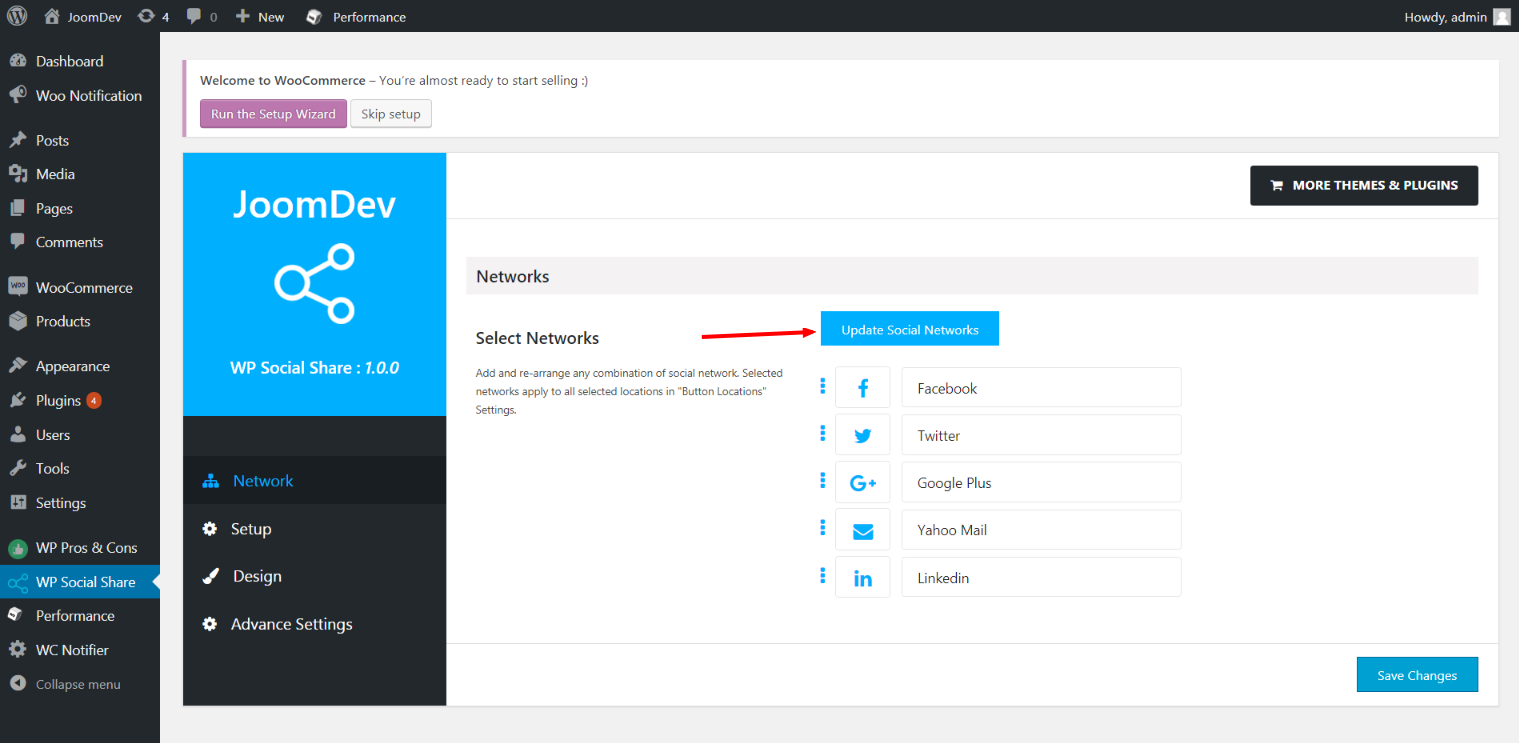
Click here to select networks
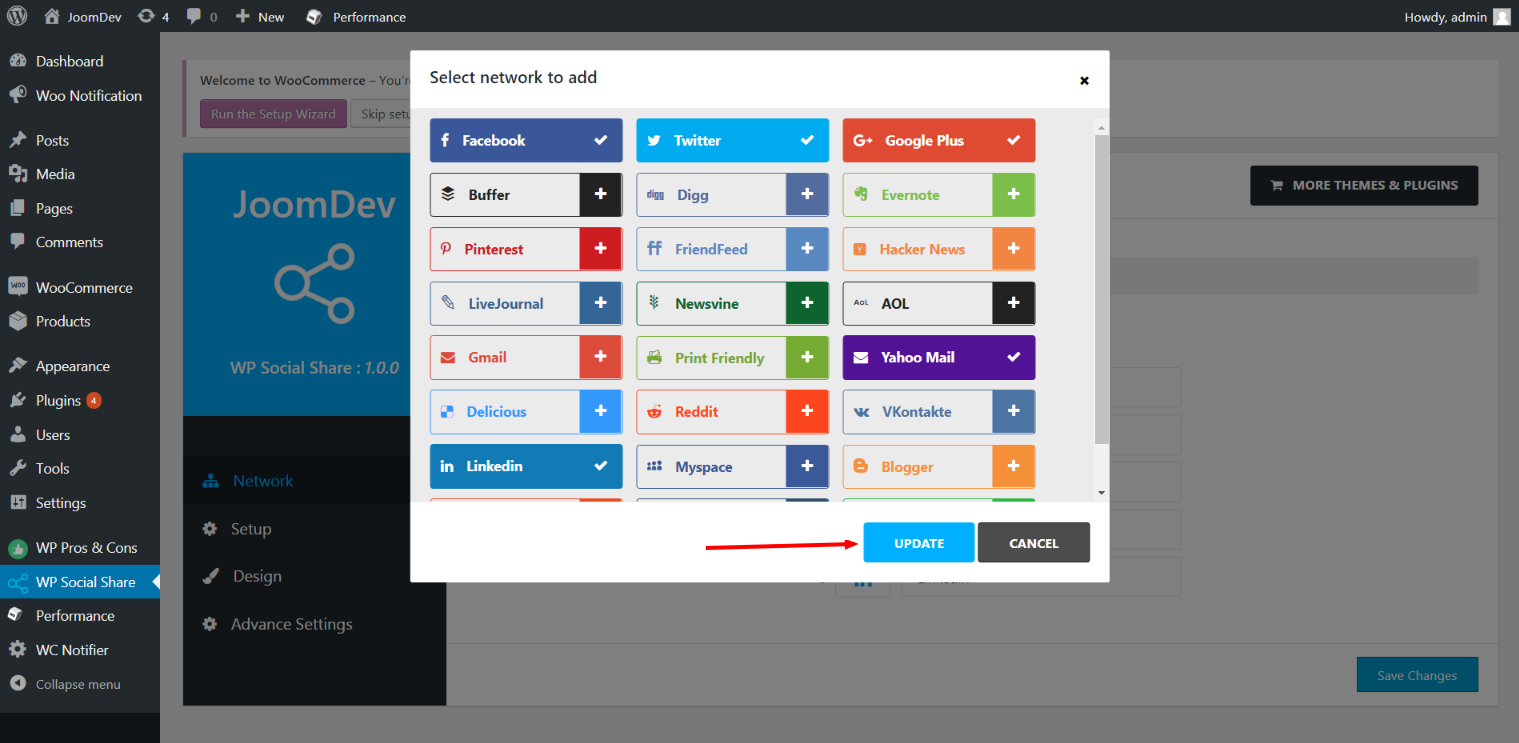
Update networks after selecting them.
Setup plugin and api settings.
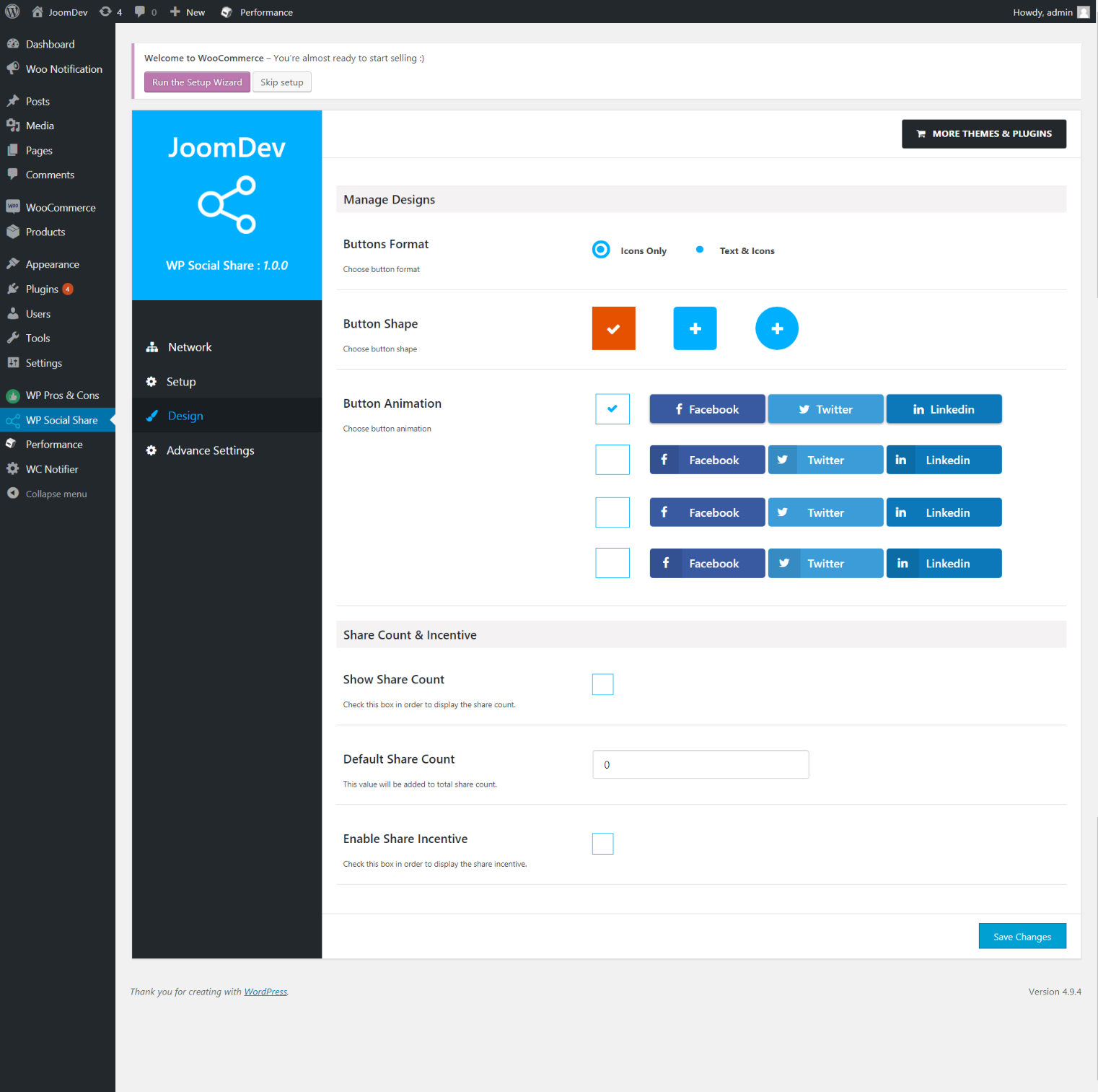
Select any design to display the buttons.
For mobile
For mobile

Орнотуу

Way 1: 1. Upload joomdev-wp-social-share.zip to the /wp-content/plugins/ directory 2. Extract the zip file. 3. Activate the plugin from wordpress plugins page. And you have done.

Way 2: 1. Go to plugins page in admin. 2. Click on Add New button. 3. Search for “WP ShareX”. 4. Click install on WP Social Share. 5. Activate the plugin.

FAQ.KG

Installation Instructions

Way 1:
1. Upload joomdev-wp-social-share.zip to the /wp-content/plugins/ directory
2. Extract the zip file.
3. Activate the plugin from wordpress plugins page. And you have done.

Way 2:
1. Go to plugins page in admin.
2. Click on Add New button.
3. Search for “WP ShareX”.
4. Click install on WP Social Share.
5. Activate the plugin.

How do I use this plugin?

See description.

Сын-пикирлер

Excellent!

Arnab Mohapatra Март 16, 2018-ж. 1 reply
Incredible plugin. It allows to add any sharing button on the page simply and fast!
Read all 1 review

Contributors & Developers

“WP ShareX” is open source software. The following people have contributed to this plugin.

Мүчөлөрү
  • joomdev

Translate “WP ShareX” into your language.

Interested in development?

Browse the code, check out the SVN repository, or subscribe to the development log by RSS.

Өзгөртүүлөр

1.0.0

  • New Plugin initialized.

Мета

  • Нуска 1.0.0
  • Акыркы жаңыртуу 9 жыл мурун
  • Активдүү орнотуулар 10+
  • WordPress нускасы 3.0 же андан жогору
  • Tested up to 4.9.33
  • Тил
    English (US)
  • Тег:
    sharesocialsocial share
  • Advanced View

Рейтинг

5 out of 5 stars.
  • 1 5-star review 5 жылдыз 1
  • 0 4-star reviews 4 жылдыз 0
  • 0 3-star reviews 3 жылдыз 0
  • 0 2-star reviews 2 жылдыз 0
  • 0 1-star reviews 1 жылдыз 0

Your review

See all reviews

Мүчөлөрү

  • joomdev

Колдоо

Комментарийлер барбы? Жардам керекпи?

Колдоо форумун көрүү

Кайрымдуулук

Would you like to support the advancement of this plugin?

Кайрымдуулук кылуу

  • Биз тууралуу
  • Жаңылыктар
  • Хостинг
  • Купуялык
  • Көргөзмө
  • Темалар
  • Плагиндер
  • Паттерндер
  • Үйрөнүү
  • Колдоо
  • Иштеп чыгуучулар
  • WordPress.tv ↗
  • Кошулуу
  • Иш-чаралар
  • Кайрымдуулук ↗
  • Swag ↗
  • WordPress.com ↗
  • Matt ↗
  • bbPress ↗
  • BuddyPress ↗
WordPress.org
WordPress.org

Kyrgyz

  • Visit our X (formerly Twitter) account
  • Visit our Bluesky account
  • Биздин Mastodon түрмөгүбүзгө баш багыңыз
  • Visit our Threads account
  • Биздин Facebook баракчабызга кириңиз
  • Биздин Instagram баракчабызга баш багыңыз
  • Биздин LinkedIn баракчабызга баш багыңыз
  • Visit our TikTok account
  • Visit our YouTube channel
  • Visit our Tumblr account
Код деген бул — поэзия.
The WordPress® trademark is the intellectual property of the WordPress Foundation.